Roles and permissions in the Ory Console
The Ory Console uses role-based access control enforced through Ory Keto. Roles are assigned at two levels: workspace and project.
Workspace roles
A workspace has two roles: Owner and Developer.
Owner
The Owner role has full administrative control over the workspace.
- View and edit workspace metadata
- Upgrade the workspace plan
- View and manage billing
- View and manage members
- Create and delete workspace API keys
- Create projects and view the projects list
Developer
The Developer role provides day-to-day access without administrative capabilities.
- View workspace metadata
- Create projects and view the projects list
- View members
- View workspace API keys
Developers cannot:
- Edit workspace metadata
- Manage billing
- Manage workspace members
- Create or delete workspace API keys
Workspace permission matrix
| Permission | Developer | Owner |
|---|---|---|
| View workspace metadata | Yes | Yes |
| Edit workspace metadata | No | Yes |
| Upgrade workspace plan | No | Yes |
| View billing | No | Yes |
| Manage billing | No | Yes |
| View members | Yes | Yes |
| Manage members | No | Yes |
| View workspace API keys | Yes | Yes |
| Create/delete workspace API keys | No | Yes |
| Create projects | Yes | Yes |
| View projects list | Yes | Yes |
Project roles
A project has two roles: Owner and Developer.
Owner
The Owner role has full control over the project, including destructive and administrative actions. Owners inherit all Developer permissions.
In addition to Developer permissions, Owners can:
- Delete the project
- Move the project between workspaces
- Upgrade the project plan
- Add and remove collaborators
- Modify project workspace settings
Developer
The Developer role provides full access to project configuration and all Ory services.
- Read and write project configuration
- View collaborators
- Manage project API keys
- Manage custom domains (CNAMEs)
- Manage event streams
- Full access to Ory Identities (read/write identities, credentials, sessions, and messages)
- Full access to Ory Permissions (read/write relationships, read permissions)
- Full access to Ory OAuth2 (read/write clients)
Developers cannot:
- Delete or move the project
- Add or remove collaborators
- Modify project workspace settings
Project permission matrix
| Permission | Owner | Developer |
|---|---|---|
| Read project configuration | Yes | Yes |
| Write project configuration | Yes | Yes |
| View collaborators | Yes | Yes |
| Add/remove collaborators | Yes | No |
| Manage project API keys | Yes | Yes |
| Manage custom domains (CNAMEs) | Yes | Yes |
| Manage event streams | Yes | Yes |
| Ory Identities (full read/write) | Yes | Yes |
| Ory Permissions (full read/write) | Yes | Yes |
| Ory OAuth2 (full read/write) | Yes | Yes |
| Delete project | Yes | No |
| Move project | Yes | No |
| Upgrade project plan | Yes | No |
| Modify workspace settings | Yes | No |
Managing roles
To change a member's role, a workspace Owner can go to Workspace settings → Members in the Ory Console.
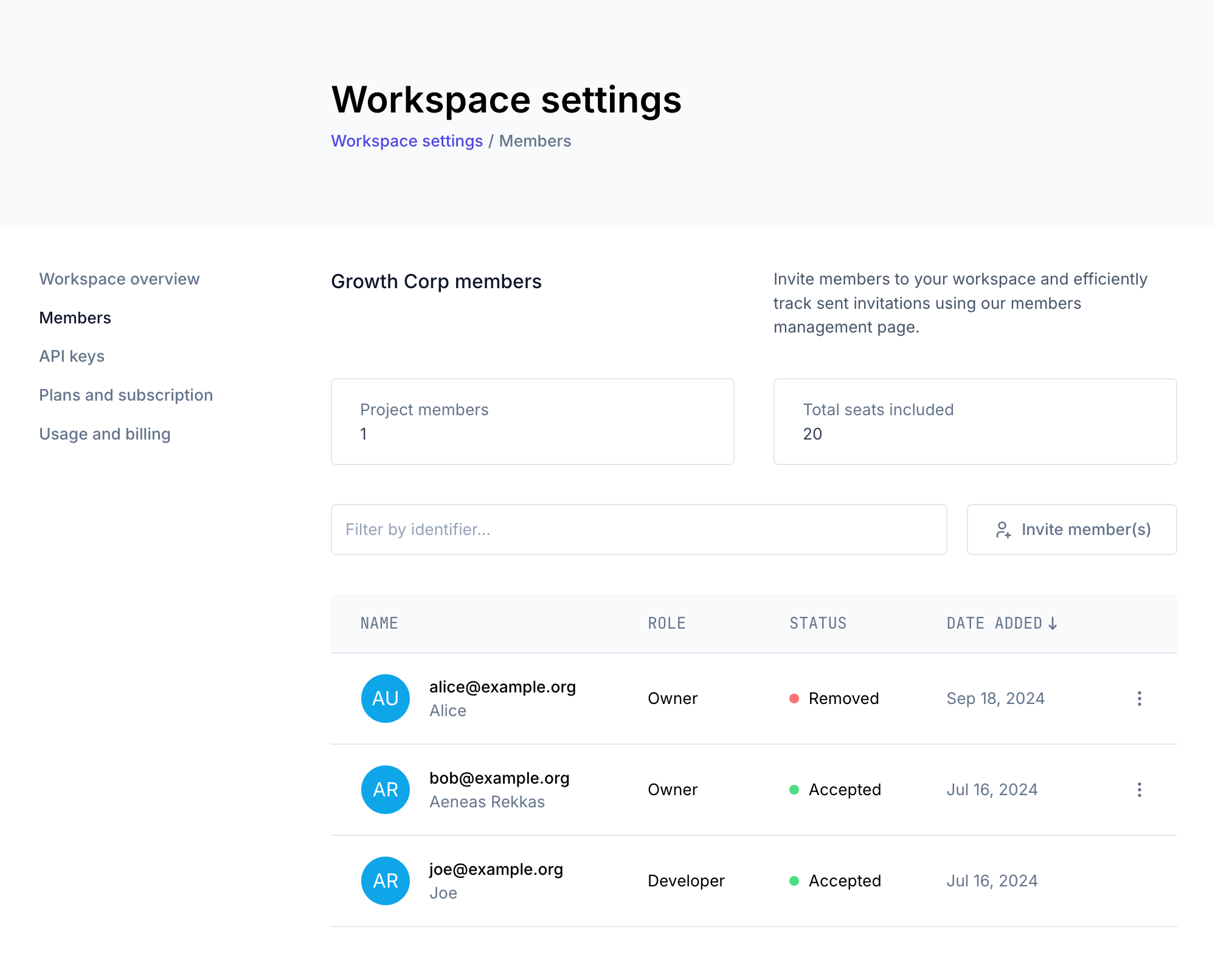
For more information on workspaces and member management, see Workspaces & Environments.